
Beginning Friday, August 14 parents can download the app and access their students’ bus routes and schedules through the My Ride K-12 app. Parents will not be able to set up their accounts with their students until Friday, August 14.
Beginning the 2026-2027 school year, Penn-Harris-Madison will be utilizing My Ride K-12 as part of its transportation operations.
My Ride K-12’s mobile app allows families and students to access estimated times of arrival or departure for their P-H-M school bus.
The app also allows families to view their student’s current bus route and verify that students are on time for pick-ups and drop-offs.
With the My Ride K-12 app, updates are just a few clicks away. GPS technology on the bus works with P-H-M Transportation software to automatically calculate the timing of a bus route giving families the most accurate route data with real-time updates.
Push notifications mean you don’t have to worry about checking the app. Sign up for notifications to be automatically alerted about changes in your student’s bus status. If a bus is running later than 10 minutes, the arrival time in the app will automatically update live.
Setting up your account
Download the My Ride K-12 app using the links below:


After you download the app, follow these steps to get set up and to start using the app:
- Open the app
- Register your account with an email, password, and name
- Confirm registration through the email link provided
- Log in
- Look up Penn-Harris-Madison as your school district
- Click “Add Your Student.” You will need the following information:
- Your student’s P-H-M student ID (which you get from your Skyward account)
- Date of Birth
- Select your child’s school
- Confirm and select your student
- You must do these steps for each individual student
You will be able to your student’s bus information. You will also be able to share access with another registered user.
Make sure to stay logged in to the My K-12 app to receive live GPS bus location updates and Transportation Department notifications.
Laptop or Desktop Instructions
You can use a laptop or desktop to register your account or to view your child’s bus location by visiting this website: https://myridek12.tylerapp.com/.
- The “Log in” and “Sign up” boxes are in the top right-hand corner of the website
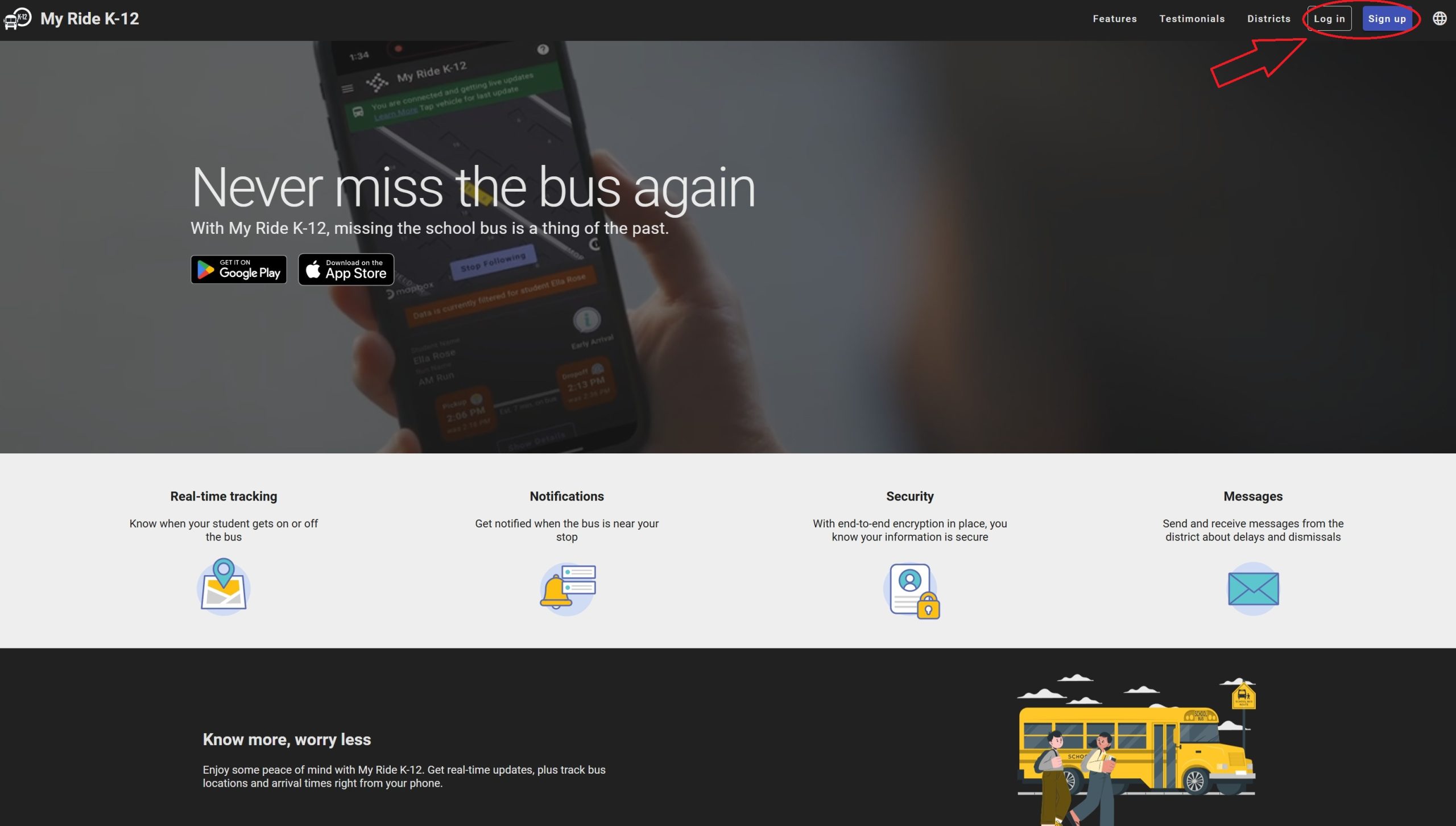
- Follow similar steps to add your student, view transportation details and GPS bus locations
Request a Bus Stop Review
To request a review of a current bus stop, use this form. Upon completion, please send it to the Transportation Department.
- No bus stops will be allowed at business locations.
- Reviews will be considered after Labor Day.